
2 PROGRAMMING METHODS:
Kulumi Scripts (Windows Only)
SaberCopy (Windows & MacOS with Wine or CrossOver)

Ready to build your Kulumi listening library?

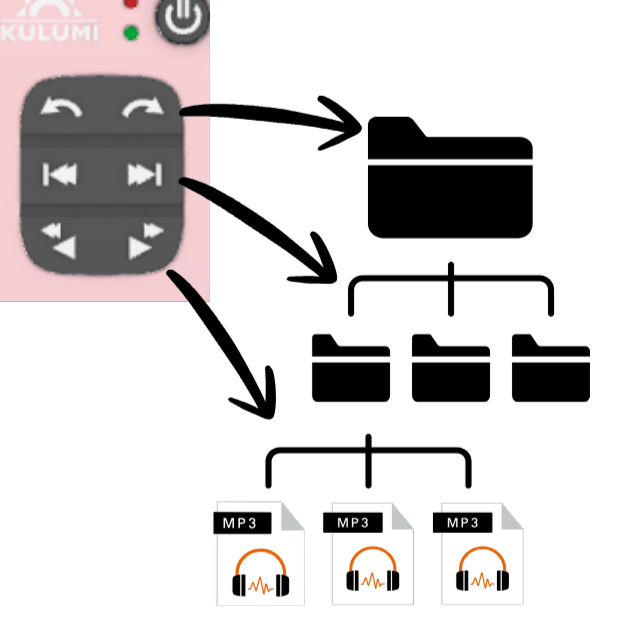
Organize your audio files in 3 LEVELS

Applicable to Kulumi Mini and Kulumi X

1st Level

Content Categories

2nd Level

Titles/Albums

3rd Level

Mp3 Files

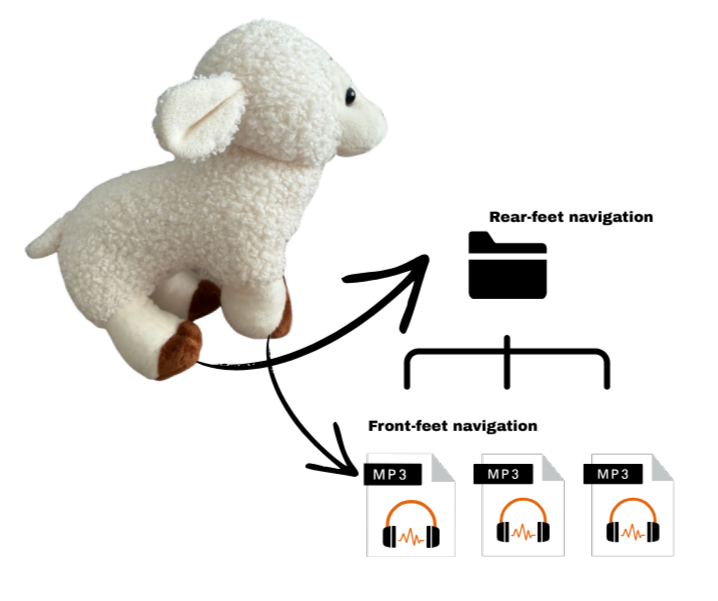
Organize your audio files in 2 levels

Applicable to Kulumi Sheep

1st Level

Titles/Albums

2nd Level

Mp3 Files
PROGRAMMING METHOD:
Kulumi Scripts (Windows Only)

Programming KULUMI in 5 EASY STEPS

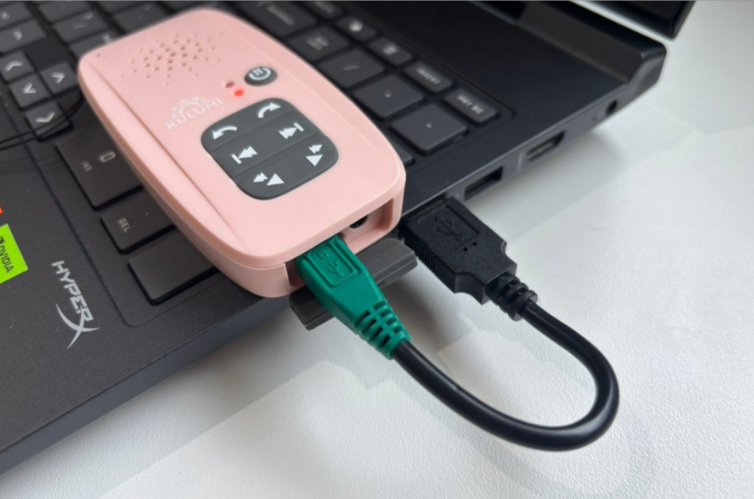
Step 1: Connect the Device

Connect your Kulumi X, Mini or Sheep to your laptop with our proprietary data cable (green or red).
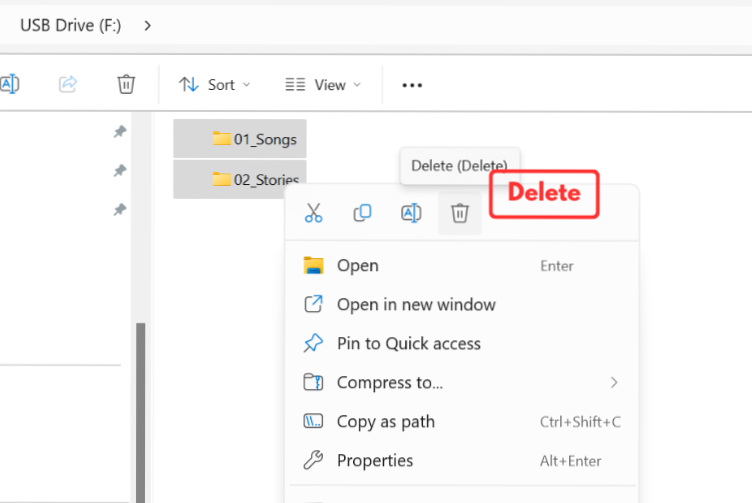
Step 2: Empty the drive

Empty the drive by deleting all existing files.
(Format Kulumi only when necessary and use the default format: FAT32)
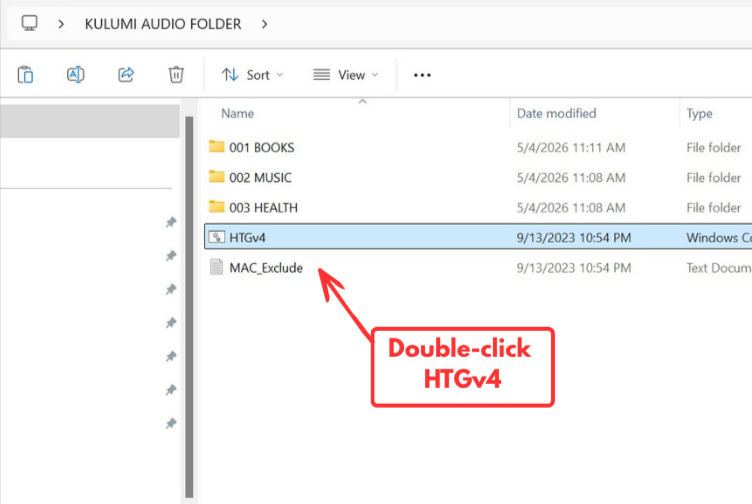
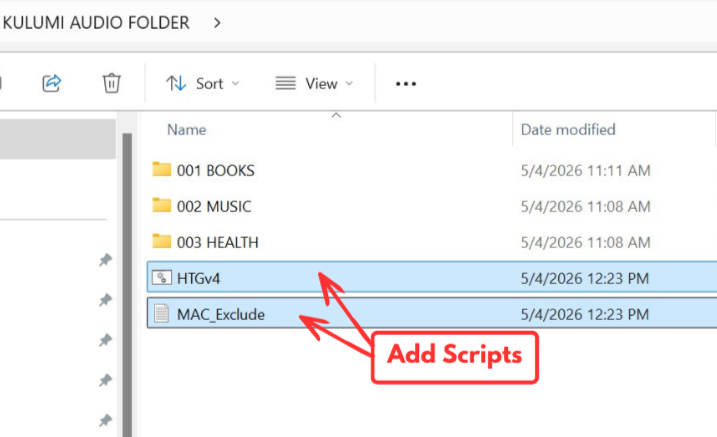
Step 3: Execute the Scripts

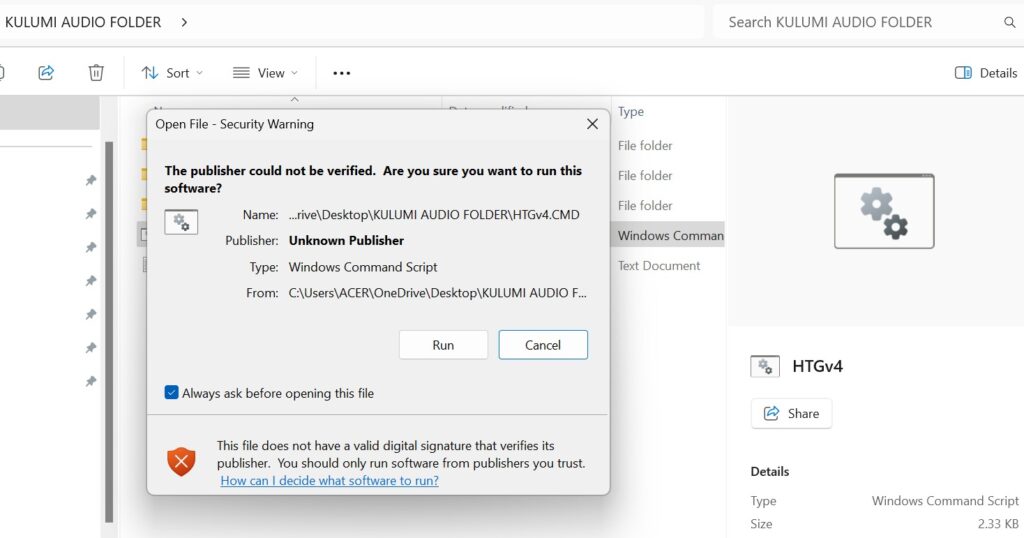
Double-click HTGv4.cmd to launch the programming interface.
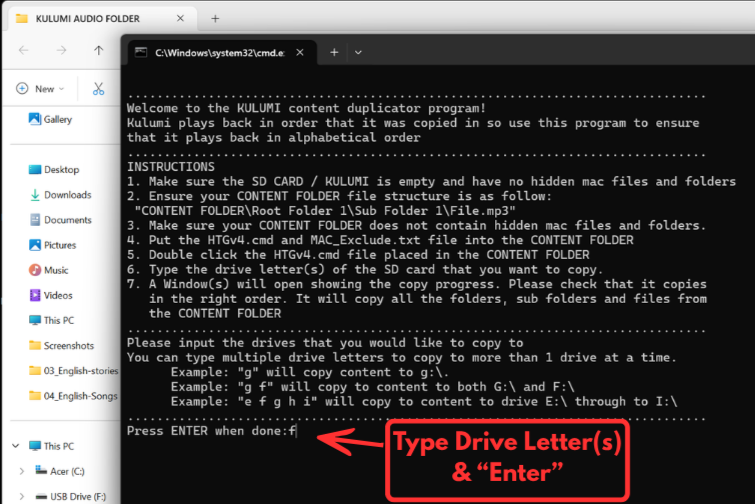
Step 4: Type Drive Letters & "Enter"

Type the drive letter. For multiple devices, separate letters with a space (e.g., d e f). Then, press "Enter".
(Format it if the programming doesn't happen)

Step 5: Monitor & Exit

A progress window will appear. Once the transfer is complete, the window will close. Type “5” and press “Enter” to exit the program.