Build your Kulumi listening library

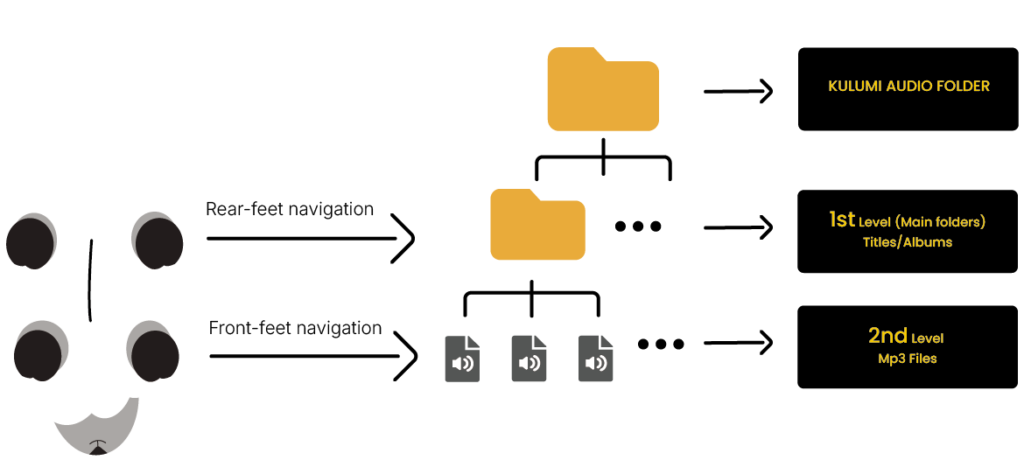
Organize your audio files in 2 Levels

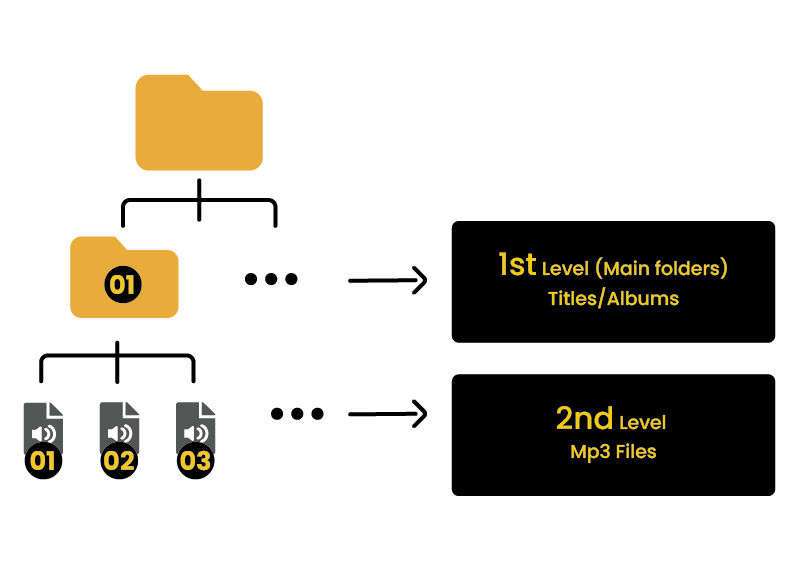
Number everything

Start every folder, subfolder and track name with a number, using the same number of digits throughout(01, 02, 03… not 1, 2, 3…). This keeps playback in the right order.

Use the same number of digits at every level, based on the highest count in that folder: 01-99 files, two digits; 100-999, three digits.

Why the numbers matter

Without numbers, files play in alphabetical order, so “10” comes before “2”. Add leading zeros (01, 02… 10) to each folder, subfolder and track to keep everything in your intended order.

Organize your audio files following the folder structure specified above.

Here is an example of how you can organize your audio files in 2 levels. Click on the folder to expand:

KULUMI AUDIO FOLDER

Proceed to the next step

Select your computer OS