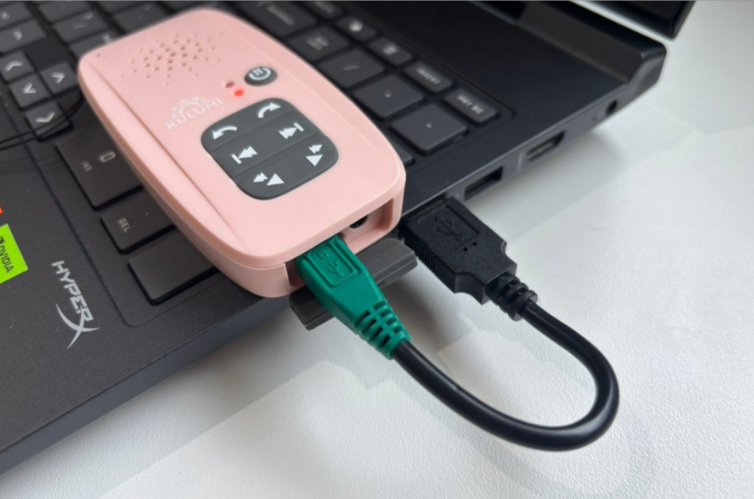
Applicable to Kulumi Mini and Kulumi X
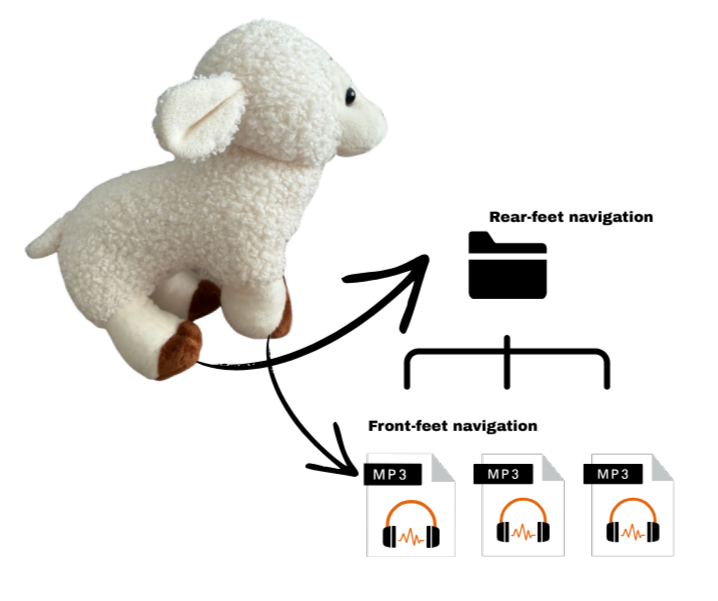
Applicable to Kulumi Sheep

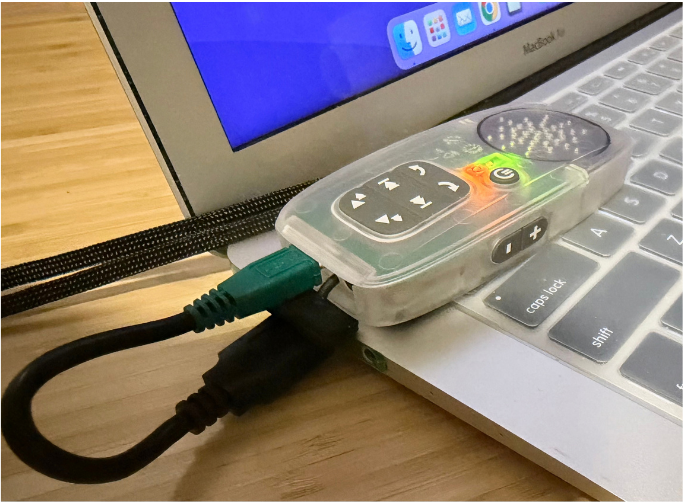
Connect your Kulumi X, Mini or Sheep to your laptop with our proprietary data cable (green or red).
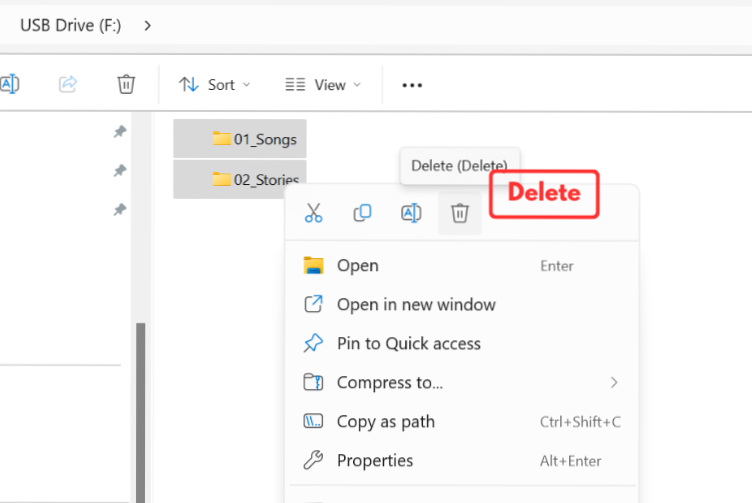
Delete any unwanted files.
(Format Kulumi only when necessary and use the default format: FAT32)
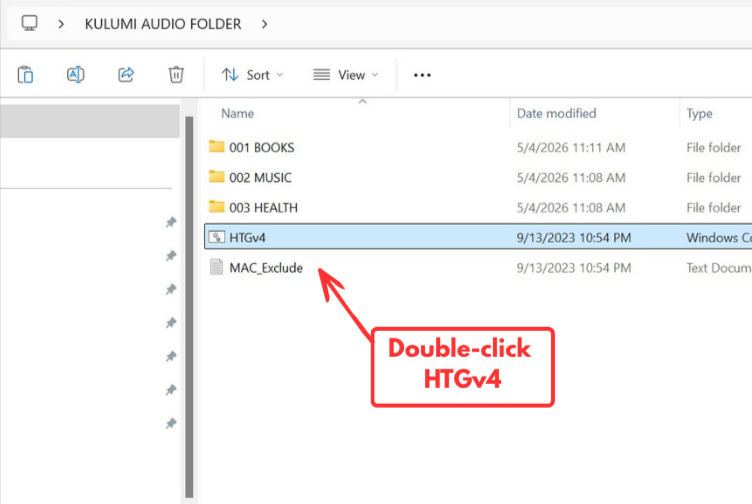
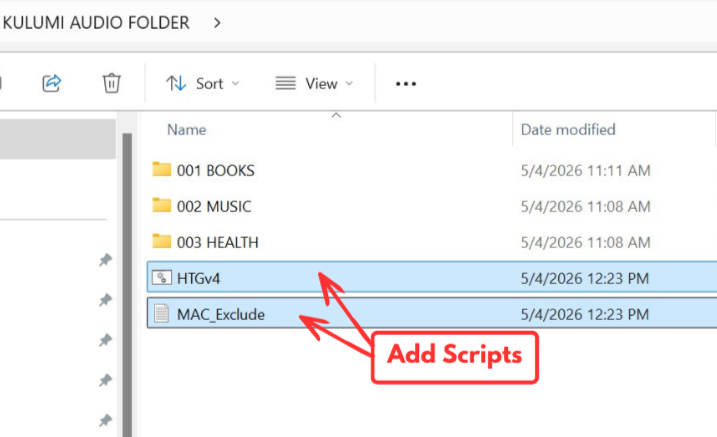
Double-click HTGv4.cmd to launch the programming interface.
Type the drive letter. For multiple devices, separate letters with a space (e.g., d e f). Then, press "Enter".
A progress window will appear. Once the transfer is complete, the window will close. Type “5” and press “Enter” to exit the program.
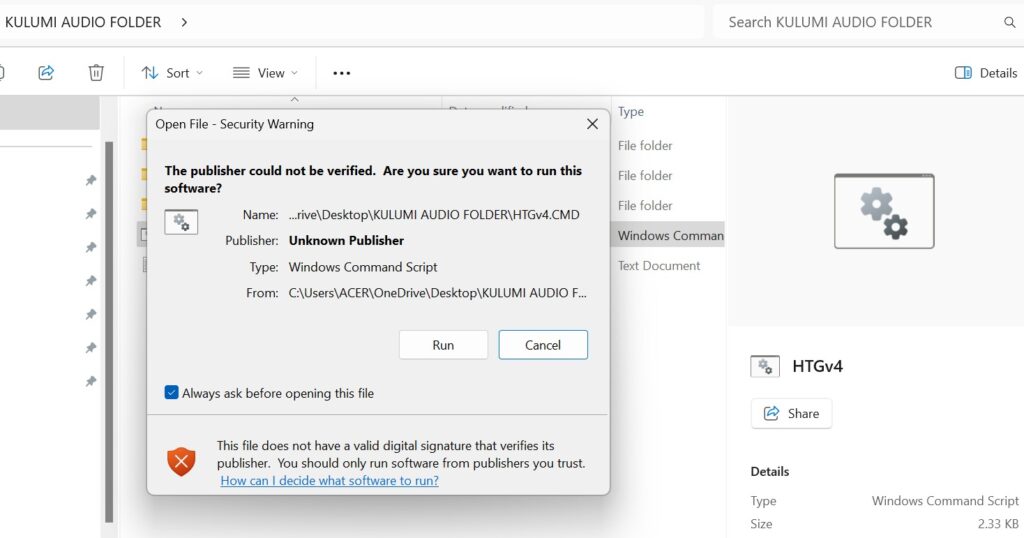
This warning is normal and appears because the HTG script is not digitally signed by a verified publisher. If you downloaded the script directly from HTG website or received it from a HTG representative, it is safe to proceed.
Simply click Run to continue with the programming process.
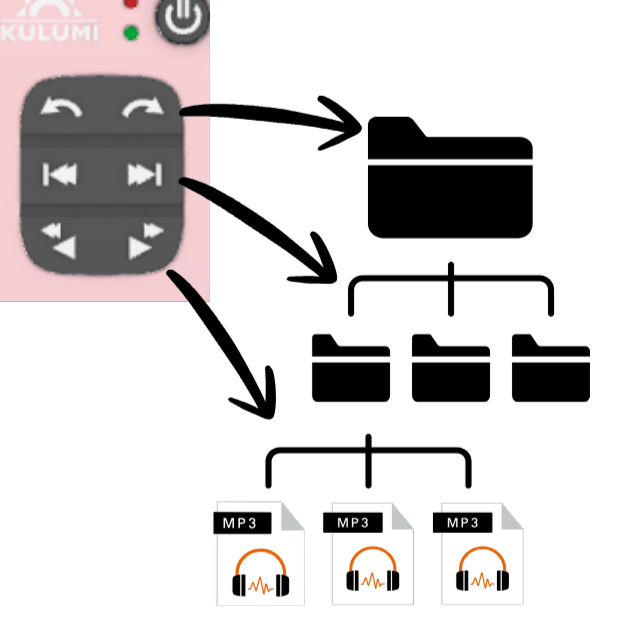
It depends on whether the order of your content matters.
Quick rule of thumb: If the listening experience depends on files playing in a specific sequence, always use HTGv4. If not, drag and drop is fine.
If certain files aren’t playing, it’s usually due to one of two common issues:
If the basics check out, the next step is to reformat the device and reload the content:
⚠️ Note: Formatting will erase all existing data on the device. Make sure you’ve backed up or saved copies of your files elsewhere before proceeding.
If the issue persists even after reformatting and reloading, contact us for further help.
Use the same number of digits for every file name in a folder, based on the total number of files you have. This ensures your files sort in the correct numerical order rather than alphabetical order (which can jumble playback sequence).
Rules of thumb:
01, 02, 03 ... 10 ... 991, 2, 3 ... 10 (this will sort as 1, 10, 2, 3… instead of in order)001, 002 ... 010 ... 10001, 02 ... 100 (breaks once you pass 99)0001, 0002 ... 0010 ... 1000Key rule: Always match the number of digits to the largest file count in that folder — and keep it consistent across every file in the same folder. Mixing digit lengths (e.g., 01 and 001 in the same folder) will cause files to sort out of order.
A full stop (.) in the name of any main folder or sub-folder can prevent the player from reading the content correctly. As a result, no audio will play, even if all other folders are properly organized.
Please remove all full stops from folder names before loading content onto your Kulumi player.
Examples:
❌ Wrong:
Chapter 1. IntroStory Time Vol.201. Bedtime Stories✅ Correct:
Chapter 1 IntroStory Time Vol 201 Bedtime StoriesTip: If you’d like to visually separate words without using a period, try a space, hyphen (-), or underscore (_) instead.
✅ Story-Time-Vol2 or Story_Time_Vol2
This issue isn’t limited to folder names. If the MP3 file name itself contains a period or comma — anywhere other than the required .mp3 file extension — it will interrupt correct playback. Only the dot before the file type (.mp3) should be present; avoid any other periods or commas in the file name itself.
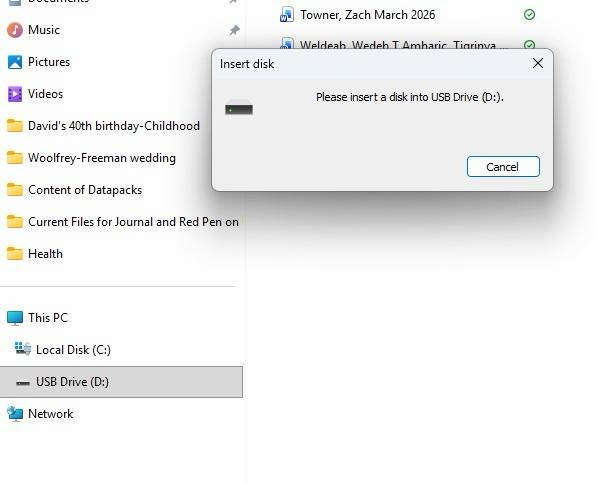
If your computer does not recognize the Kulumi player or the drive does not appear, the device may need to be reformatted.
Follow these steps:
Note: Formatting will erase all content stored on the player. Make sure you have a backup of your files before formatting.
A long delay before playback is usually caused by too much silence at the beginning of the audio file (especially the first file in a folder).
Check the silence at the beginning and end of your audio files:
You can easily adjust the silence using an audio editing tool such as Audacity (free audio editor).
After editing your files, reload the content using the HTGv4 programming routine and test the player again.
Yes, you can load audio content onto your Kulumi player, but you must ensure that you have the proper copyright permission to use and share it.
It is the user’s responsibility to obtain any required licenses or permissions from the content owner before distributing audio through Kulumi players.
The cables have different functions:
Yes. You can program multiple players simultaneously using your computer’s USB ports or a powered USB data hub.
Make sure the USB ports support data transfer (not charging only). USB Data Hub often has a blue inner tab, while charge-only ports may not support programming.
If you do not clear the existing content, the new files will be added underneath the existing content instead of replacing it.
This means:
To completely replace the content on your Kulumi player, clear the existing files before running the HTGv4 programming routine.
The MAC_Exclude file helps ensure that your audio content is organized and played in the correct order.
When audio files are processed on a Mac computer, hidden system files (such as .DS_Store files) may be automatically created. These hidden files can interfere with the player’s menu order and affect how content is displayed.
The MAC_Exclude program automatically detects and removes these unwanted files during the programming process. No additional action is required from the user.
Make sure the MAC_Exclude file remains at the first (main) level of the player drive when running the HTGv4 programming routine.
📌 Note: The instructions on this page apply strictly to Windows only using the HTG scripts. If you’re using a Mac, please refer to this guide or use SaberCopy that is compatible with Windows & MacOs with Wine or CrossOver.